VISIONR 700/800 - Reboot: System Halted
Problem cause:
VISIONR700/800 was turned off the wrong way.
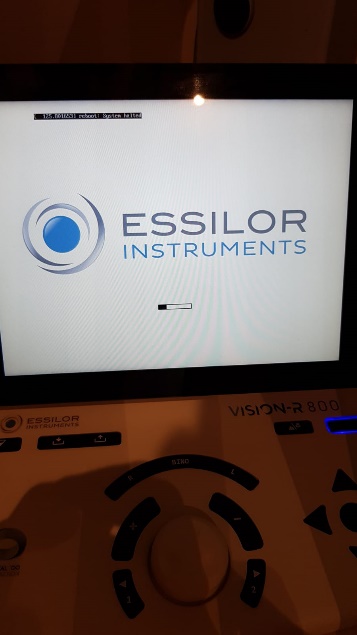
Following message displayed : [125.8016531 reboot : system halted]
Could be normal depending of the configuration of the power supply
It indicates that the power supply is set-up in B position
Solution:
1.Press ON the black button “power mode” in front the power supply to change the configuration
Instructions:
A position = Switch ON/OFF via Clear touch on the keyboard only
Power button on the power supply is always on position ON
Use the keyboard ONLY, to switch ON/OFF Vision-R 800
B position = Switch ON/OFF are different processes
To switch ON the device
Press on the switch ON behind the power supply
To switch OFF the Vision-R 800
Press Clear touch on keyboard
Then when the message [125.8016531 reboot : system halted] appears on keyboard, put the switch behind the power supply OFF
Switch A position to B position
Switch ON device
Press once only on the black button on front of the power supply